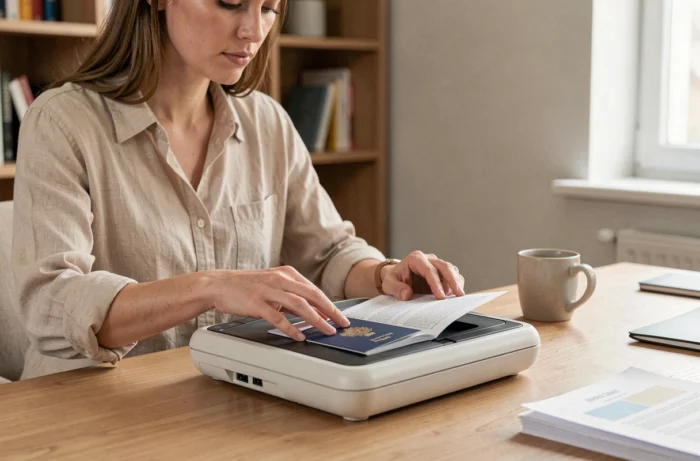
Photocopying your passport before traveling abroad is one of the regularly advised reflexes. The copy facilitates consular procedures in case of loss or theft of the original document, but it never replaces the passport itself for crossing a border. Between the choice of pages to reproduce, the storage format, and the protection of personal data, several common mistakes deserve to be identified.
Passport Copy and Data Minimization Principle
Most guides recommend photocopying the identity page of the passport, which contains the photo, document number, date of birth, and expiration date. This reflex is relevant for the majority of situations.
On the other hand, copying the entire passport (visa pages, entry stamps, special mentions) is not always useful and increases the exposure of personal data. The CNIL reminds us in its general recommendations on data protection that the principle of minimization applies: only collect and retain the information strictly necessary for the intended purpose.
Specifically, if you are traveling to a country that requires a visa, keeping a copy of the visa page in addition to the identity page makes sense. For a stay in Europe without a visa, the identity page alone is sufficient in the vast majority of cases. Knowing how to photocopy a passport by targeting the right pages helps avoid unnecessarily multiplying sensitive documents.
Securing a Digital Copy of a Passport: Common Mistakes
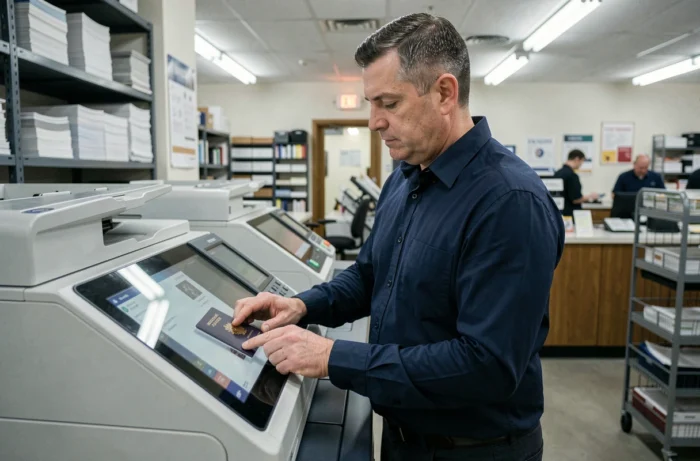
Many travelers photograph their passport with their phone and leave the image in their photo gallery, sometimes automatically synced to a cloud. This unprotected storage poses a real problem.
The CNIL points out that lost or stolen devices, improper transmissions, and accidental publications are among the frequent sources of personal data breaches. A passport copy accessible from an unlocked phone or ordinary messaging becomes exploitable by anyone who accesses the device.
Three precautions reduce this risk:
- Store the copy in a digital vault application protected by a distinct password, rather than in the photo gallery or a regular download folder.
- Avoid sending the copy via instant messaging or unencrypted email, as these exchanges remain stored on the provider’s servers and on the recipient’s device.
- Delete the copy from shared devices (hotel computer, self-service printing kiosk) immediately after use, including from the recycle bin.
A digital copy of a passport must be protected like an identity document, not treated like a vacation photo.
Passport Photocopy and Consular Procedures: What the Copy Really Allows
A point often misunderstood: a passport photocopy does not constitute an official identity document. It does not allow you to pass through border control, take an international flight, or substitute for the original document in a formal administrative procedure.
Its main utility lies upstream of the procedures. In case of theft or loss abroad, presenting a copy to the consulate speeds up identification and the process of issuing a pass. Without a copy, establishing identity relies on other documents or checks that take longer.
French consular authorities regularly request the original accompanied by a photocopy for certain procedures. Keeping both separately (the original on you, the copy in luggage or a secure digital space) remains the most effective practice.
Quality of the Photocopy: Readability and Format to Respect
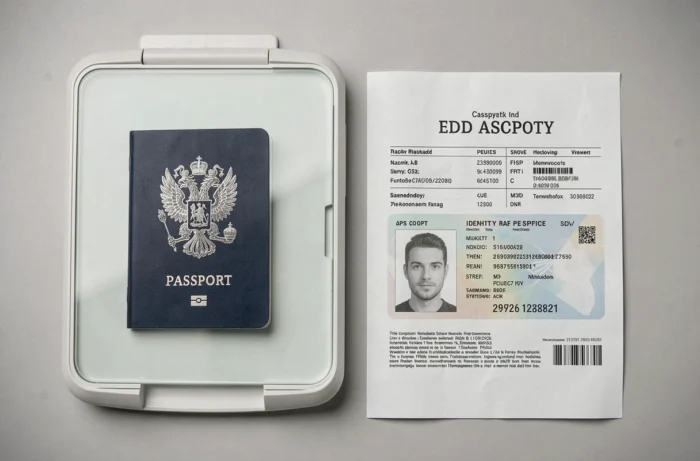
An illegible copy is a useless copy. The identity page of the passport contains a machine-readable zone (the MRZ band at the bottom of the page) whose characters must remain perfectly clear.
For a paper copy, prioritize a sufficient resolution so that all characters are legible without effort. Self-service photocopiers in tobacco shops or town halls generally produce an acceptable result, provided the format is not reduced.
- Copy in color if possible: some foreign administrations refuse black and white copies, as they complicate the visual verification of the photo.
- Do not crop the page to the point of cutting off the MRZ area or the document number.
- For a digital copy, a PDF scan offers better readability than a photo taken by hand, which is often distorted by angle or lighting.
The PDF format remains the most reliable for keeping a usable copy during an administrative procedure.
Certified Copy and Legal Value in France
The notion of “certified copy” issued by a town hall has not existed in France for several years. Town halls no longer certify the conformity of photocopies of French identity documents.
For procedures within the national territory, a simple photocopy is sufficient in most cases. However, some foreign countries still require a certified true copy or a sworn translation for specific procedures (opening a bank account, enrollment in an institution). This requirement varies from country to country and from one administration to another, making it difficult to establish any universal rule.
Before departure, checking the documentary requirements of the destination country on the Ministry of Foreign Affairs website helps avoid an unpleasant surprise on-site. The photocopy of the passport is no exception to this logic: what is accepted in one country may be refused in another.
The act of photocopying your passport may seem trivial, but the way the copy is made, stored, and used radically changes its utility. A readable copy, well-targeted on the relevant pages and kept in a secure space, covers the vast majority of emergency situations abroad.